Triage an issue 
Triage is how you work through errors: mark what's handled, silence what's noise, and give an owner to what needs one. Triage state is shared across your whole team and every Grafana replica — anyone with plugin access can triage, and every change is attributed and audited.
Open the issue 
On your service's Issues tab, click a row to open the issue drawer. The triage bar sits at the top, above the stack trace and impact.
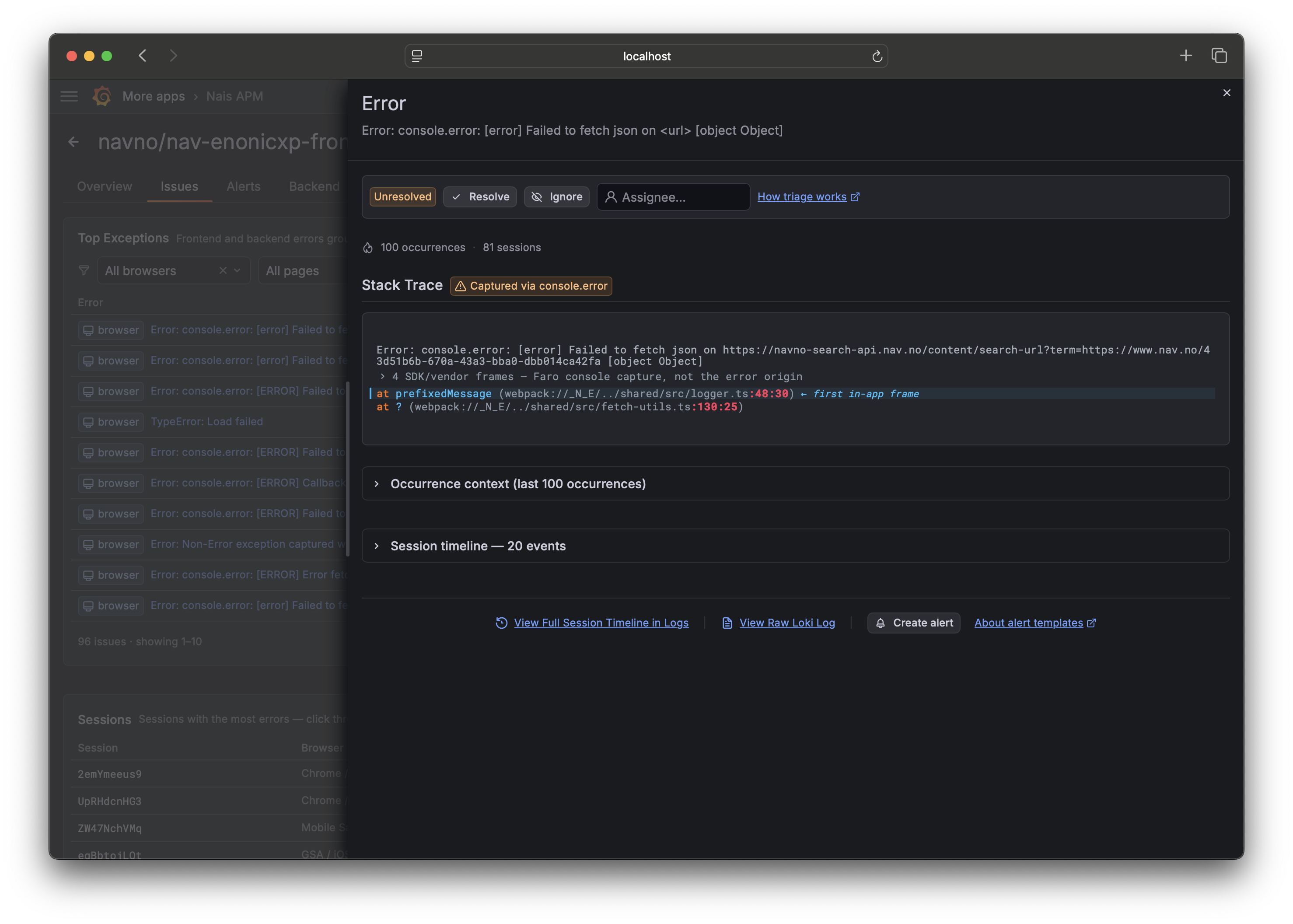
Resolve, ignore, or assign 
| Action | What it does |
|---|---|
| Resolve | Marks the issue as handled. It leaves the default (unresolved) view. If it happens again after a later deploy, it comes back as Regressed. |
| Ignore | Silences the issue as known noise. It leaves the default view and stays out until you unresolve it. |
| Assign | Gives the issue an owner. Assigning is independent of status — assigning never resolves or reopens an issue. |
| Unresolve | Reopens a resolved or ignored issue back into the default view. |
Status (resolve / ignore / unresolve) and assignment fold independently: changing the assignee never changes the status, and vice versa.
The default view hides resolved and ignored issues, so the list stays focused on what still needs a decision.
Understand "Regressed" 
An issue you resolved that starts happening again after a newer deploy is
flagged Regressed and bubbles to the top of the list. Concretely: its state
is resolved, it still has occurrences in the current window, and the resolve
predates the newest deploy marker.
This is a deliberate approximation. When you're looking at a historical time range, occurrences can predate your resolve and still read as regressed — narrow the time picker to "now" for the live picture.
Mute an issue just for yourself 
A mute is personal: it hides an issue from your view without touching the shared triage state your teammates see. Use it to declutter your own list without deciding anything on the team's behalf. Mutes live in your Grafana user storage and never affect shared state.
Who can triage, and is it recorded? 
Anyone with access to the plugin can triage, but every action records the signed-in Grafana user as the actor. The issue drawer shows the current state; the full ordered history (who did what, when) is kept as an audit log. Concurrent conflicting actions are last-write-wins per event, which is benign: two people resolving the same issue both converge on resolved.
How this is stored
Triage state is an append-only event log in Grafana's own organization annotations — shared across replicas with zero extra infrastructure. See How Nais APM works for the details.
Related 
- Issues and fingerprinting — what makes two errors the same issue.
- Create alerts from templates — get told about the next spike.